
Importance of SSL Certificates and How SkyWebHosting Supports Them
An SSL certificate on your site gives you the padlock icon in your browser, encrypting communications between your visitors and the server. Google now warns users when visiting sites without SSL certificates, making it more important than ever to have one.
Auto SSL with SkyWebHosting
All sites/domains hosted by SkyWebHosting are automatically enrolled in the Auto SSL system. This is included free of charge with all hosting packages. As long as your domain points to us (via nameservers or an A record), the system will request and install an SSL certificate for your domain automatically if it doesn't already have one. This process is transparent and requires no intervention from you. Generally, it takes about 4 hours after pointing the nameservers for the SSL to be requested and installed. If it takes longer or if your SSL certificate is not working, please contact us or try the following steps:
- Login to cPanel
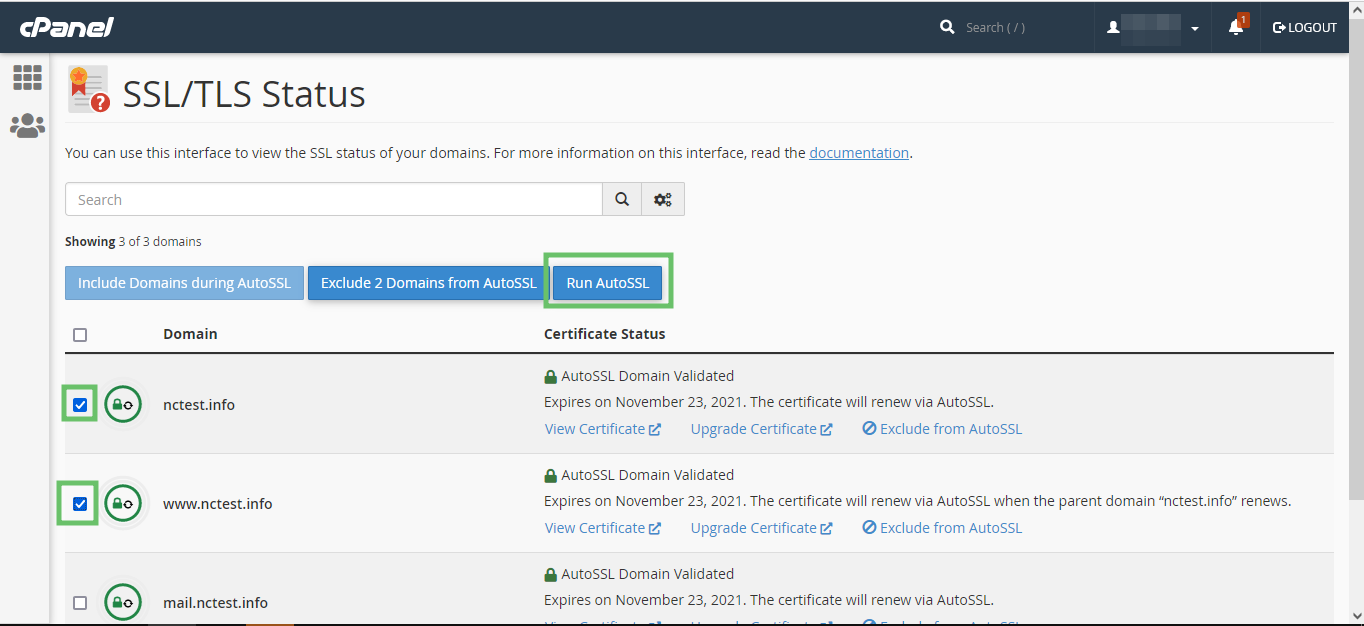
- Go to the "SSL/TLS Status" Section in cPanel
- Here, you will see the list of all domains and subdomains along with their SSL certificates.

- Force AutoSSL Installation
- Select the domains in the list and click "Run AutoSSL" to force AutoSSL installation for them.
Forcing Your Site to Use SSL
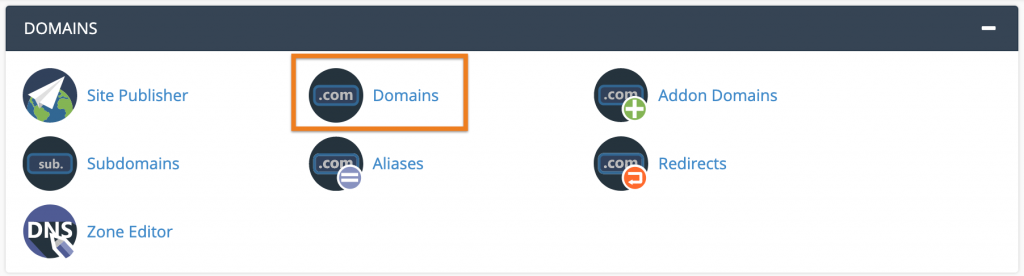
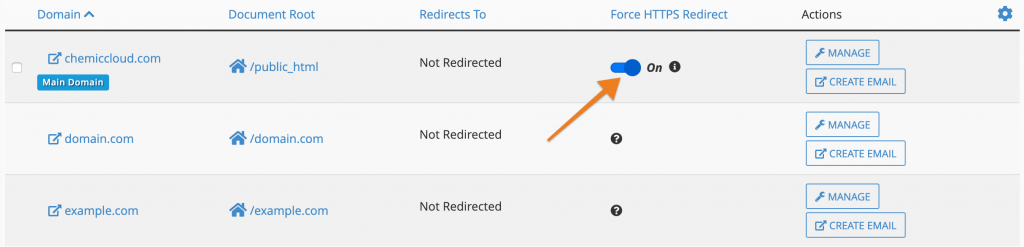
To force your site to work over SSL, you can use a rewrite rule or go to the domain settings to enforce SSL. Here’s an example of a rewrite rule:
RewriteEngine On
RewriteCond %{HTTPS} off
RewriteRule ^(.*)$ https://%{HTTP_HOST}%{REQUEST_URI} [L,R=301]
This will redirect all requests from http:// to https://. It is important to do this only after your SSL is installed and working.
Additional Steps for CMS Users
If you're running a CMS like WordPress, it is also important to set the Site URL and Homepage in the wp-admin area to include https://. This ensures that images, stylesheets, and other assets are loaded over https://. You can also install a plugin such as Really Simple SSL, which can help you set these redirections automatically.
For further assistance, please contact our support team. We're here to help!
